Will My Bluetooth Hearing Aids Work With My Phone?
Puretone Hearing Clinic editorial team
 Clinically reviewed by Aaisha Qureshey, Registered Audiologist.
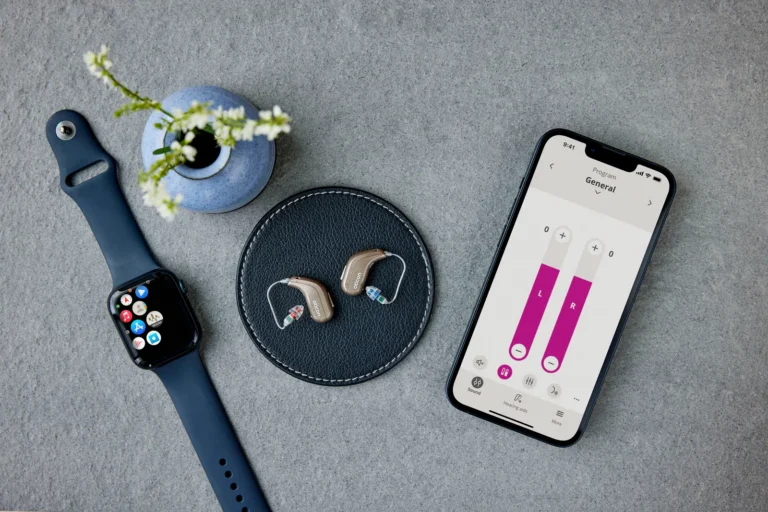
Your phone may connect to your hearing aid app for volume and settings, while calls still come through the phone’s own speaker. To know what will really work, we check your phone model, its software version and your hearing aid model, and then make a real call.
Three different things a phone can do
People often say “Bluetooth” to mean all of these, but they’re separate features:
- App control. The app lets you change the volume or programme. This doesn’t send any sound to your hearing aids.
- Streaming. Music, podcasts, TV sound or the caller’s voice plays straight into your hearing aids.
- Hands-free calls. The hearing aids’ own microphones pick up your voice, so you can talk with the phone in your pocket. With some combinations, you still need to speak into the phone.
It’s worth knowing which one you’re getting, especially if you want to answer calls while your phone is in your pocket or while you’re working at a desk.
Why compatibility varies
Hearing aids connect to phones in different ways. iPhones use Apple’s “Made for iPhone” connection. Many Android phones use a hearing aid standard of their own. The newest hearing aids and phones also support Bluetooth LE Audio, a more efficient form of Bluetooth that makes pairing easier. Some recent models can pair with compatible Android phones in a single tap.
Each brand also works a little differently. Phonak focuses on connecting to almost any Bluetooth device, including older phones and computers, and its custom rechargeable Virto R Infinio can remember up to eight devices. Oticon’s newest hearing aids, such as Reveal and Zeal, support LE Audio and Auracast. Because of these differences, the manufacturer’s compatibility list for your exact hearing aid and phone is more useful than a general “Bluetooth” label.
A simple three-step phone check
- Open the hearing aid app and make a small change, such as the volume, to check it’s talking to your hearing aids.
- Play a song or podcast and check that the sound reaches both hearing aids.
- Make and receive a phone call. Notice where you hear the caller and whether you need to speak into the phone.
We do this check with you at your fitting, using your own phone.
Using more than one device
If you use a personal phone, a work phone and a laptop, a good connection to your phone doesn’t guarantee video calls on the laptop will work the same way. Some devices need you to switch the sound output by hand, and some hearing aids can only stay connected to one or two devices at a time. Tell us which devices you use every day, including any TV accessory, so we can choose and set up hearing aids that fit your routine.
If something stops working after an update
Phone and app updates can sometimes change how things connect. Before resetting everything, note exactly what’s wrong:
- Does the app still control the hearing aids?
- Can you hear music but not phone calls?
- Is the sound only coming through one hearing aid?
- Does it only happen in one app?
These details help us tell a setting problem from a pairing problem or a fault. Follow the manufacturer’s current instructions for your equipment, and bring your phone if you come in for help.
See what Bluetooth LE Audio and Auracast add, explore hearing aid styles and features or read about rechargeable hearing aids. Ask to test calls and audio with your phone.
Sources Oticon Canada – phone compatibility, Phonak Canada – phone compatibility and StarkeyPro Canada – smartphone compatibility.